
Enabling Third-Party Cookies on Different Web/Mobile Browsers
To enable applications requiring 3rd party cookies for service, please follow the instructions below:
Solutions
Google Chrome (PC)
- Select the Chrome menu icon (3 stacked dots)
- Select Settings.
- Click Privacy and security
- Click Third-party cookies
- Select "Allow third-party cookies".
- Close settings tab
Google Chrome (Android)
- On your Android device, open the Chrome app.
- At the top right, tap More and then Settings.
- Tap Site settings and then Third-party Cookies.
- Select "Allow third-party cookies."
Google Chrome (iOS)
- On your iOS device, open the Chrome app.
- At the bottom right, tap More (marked as three dots) > Settings.
- Go to Privacy and security > Third-Party Cookies.
- Select "Allow third-party cookies."
Safari (Mac)
- Go to Safari in the menu bar.
- Select Settings (or Preferences in older versions).
- Click the Privacy tab.
- Uncheck Prevent cross-site tracking (or uncheck Block all cookies in older versions).
- For increased security, once you have finished using the site, you can enable the setting again.
Safari (iPhone/iPad)
- Open the iOS Settings (gear icon).
- Tap Apps and then select Safari.
- Under Privacy & Security, turn off Prevent Cross-Site Tracking.
- Tap Advanced and then turn off Block All Cookies.
Mozilla Firefox
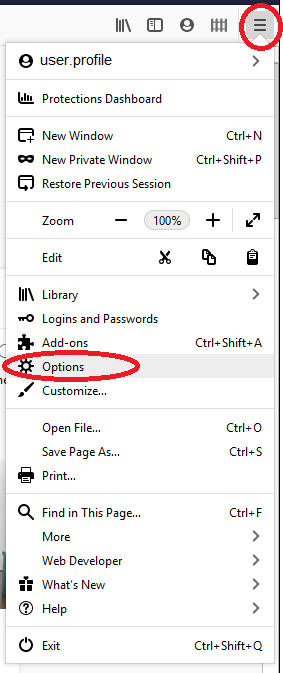
- Click the Tools list, then Options.
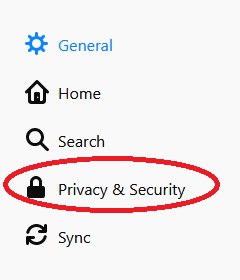
- Click Privacy & Security on the left Panel.
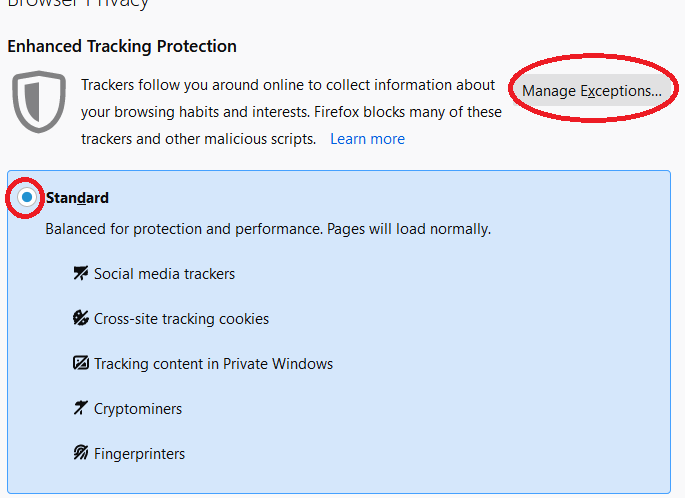
- Select the radio button for "Standard", and the button for "manage exceptions", make sure to remove any blocked content for "courses.maine.edu"
Microsoft Edge
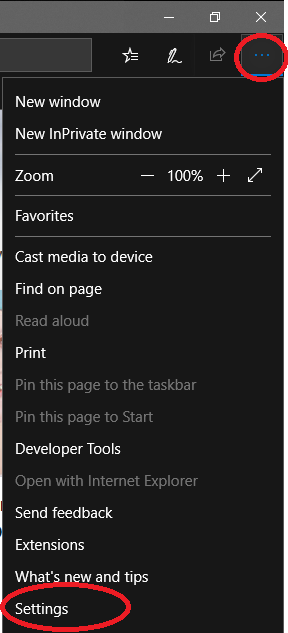
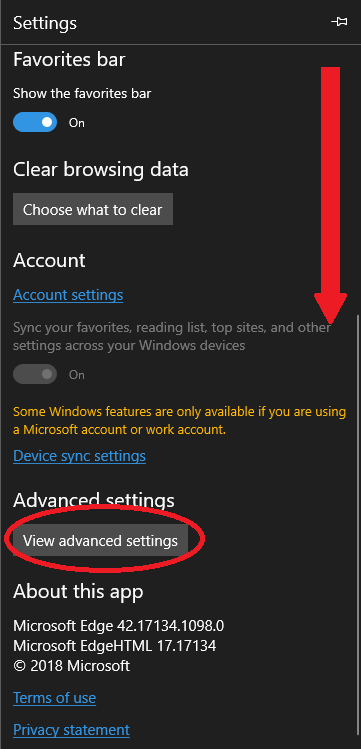
- Click on your tools button in the upper right corner, and click settings
- Scroll down and click on "advanced Settings".
- Scroll down the list and use the "cookies" drop down to select "don't block cookies", and toggle on "let sites save protected media licenses on my device"
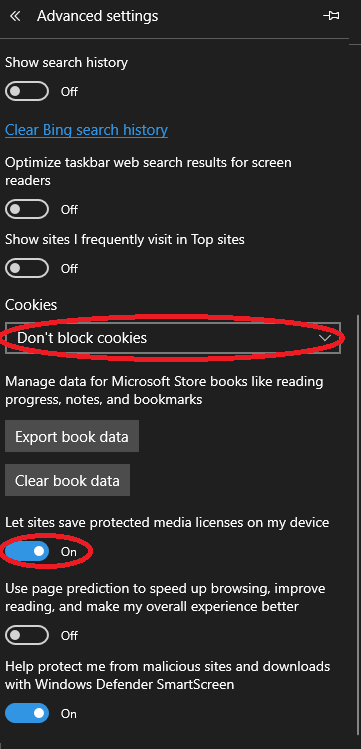
- You may need to restart your browser to proceed.
Security Note: After completing your tasks that require third-party cookies, consider reverting these settings for enhanced privacy and security.